

AI Workstations
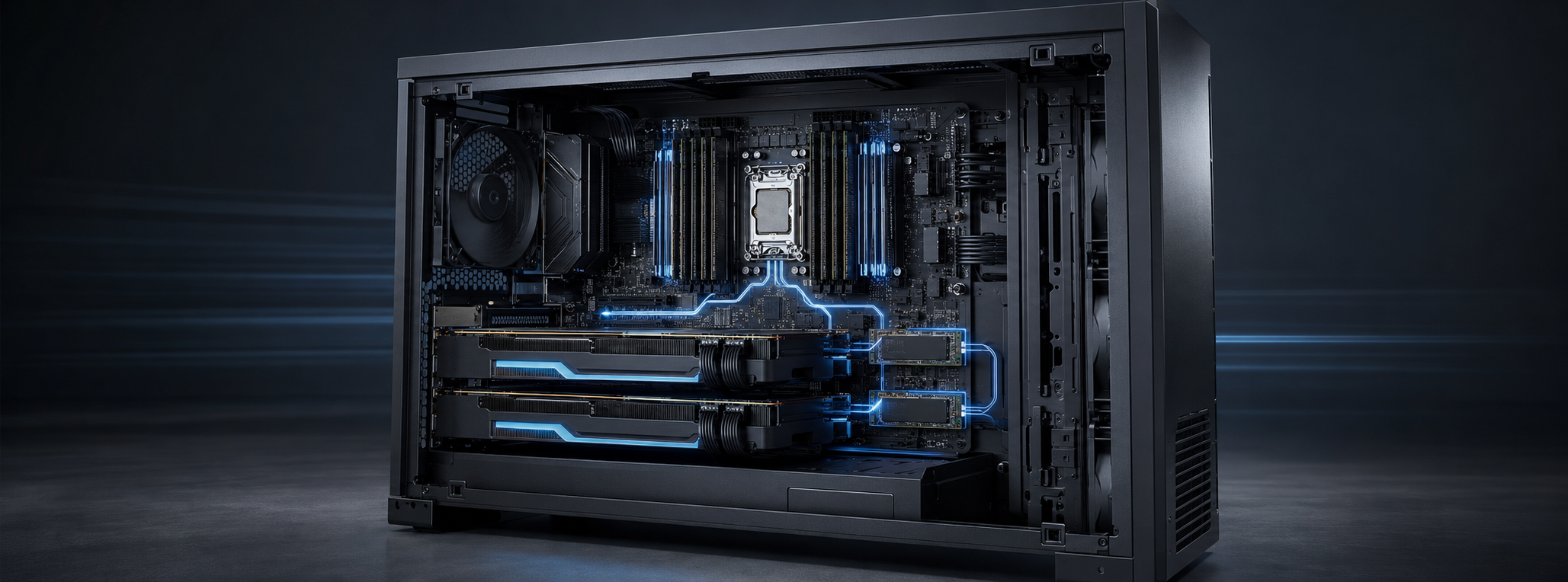
AI Workstations: RAM, SSD and Hardware Guide
An AI workstation is a high-performance computer built to develop, test and run artificial intelligence workloads locally. The right combination of GPU, CPU, system memory and SSD storage can accelerate machine learning, generative AI, local large language models, computer vision, engineering and professional creative work.
There is no single specification for every AI workstation. A compact local AI assistant has very different requirements from a system fine-tuning models, processing high-resolution video or analysing large datasets. Successful systems are balanced around the workload rather than one expensive component.
Practical starting point: 64GB to 128GB of RAM and a fast 2TB or larger NVMe SSD suit many professional single-GPU AI workstations. Larger models, datasets, virtual machines and multi-GPU systems may require 256GB, 512GB or more. Always confirm compatibility with the exact workstation or motherboard.
Ready to upgrade? Explore RAM and Memory, Kingston FURY Renegade Pro Workstation Memory, Kingston Server Premier memory and SSD upgrades at MemoryCow.
What Makes a Good AI Workstation?
An AI workstation normally combines four important components:
- GPU: provides the parallel computing performance used by many AI frameworks. GPU memory, or VRAM, affects the model sizes and batch sizes that can run directly on the graphics card.
- CPU: handles data preparation, compilation, applications and tasks that are not fully GPU accelerated. Workstation processors can also provide more memory channels and PCIe lanes.
- System RAM: holds datasets, applications, containers and active working data. Insufficient RAM can cause heavy paging or failed jobs.
- SSD storage: holds model files, datasets, checkpoints, caches and project output. Fast storage reduces delays when loading and processing data.
VRAM and system RAM are separate. Installing more system memory does not increase the physical VRAM on a discrete GPU. However, additional RAM can support preprocessing, multitasking and controlled model offload when the software allows it.
How Much RAM Does an AI Workstation Need?
| RAM capacity | Suitable starting point for |
|---|---|
| 32GB | Learning, coding, light inference and smaller datasets |
| 64GB | General AI development, image generation and single-GPU systems |
| 128GB | Local LLMs, larger datasets, video, 3D and heavy multitasking |
| 256GB+ | Multi-GPU systems, CPU offload, simulation and specialist research |
Capacity should cover the largest realistic workload with room for the operating system and supporting applications. Memory channels also matter. Four-channel and eight-channel workstation platforms can provide substantially more bandwidth when modules are installed in the correct matched configuration.
Monitor peak memory usage during a representative job. If the system regularly approaches its installed capacity or relies heavily on virtual memory, a RAM upgrade may improve responsiveness and allow larger projects to run.
ECC and Registered Memory for AI
ECC memory can detect and correct certain memory errors, making it valuable for long-running model training, scientific analysis, simulation and business-critical work. Professional platforms may support ECC UDIMMs, registered DIMMs (RDIMMs) or other specialist memory types.
These technologies are not interchangeable. A standard DDR5 desktop motherboard cannot normally use DDR5 RDIMMs. The processor, motherboard, BIOS and memory must all support the required configuration. DDR5 also includes on-die error correction, but this is not the same as full system-level ECC protection.
Compatible AMD Ryzen Threadripper PRO and Intel Xeon workstation platforms can provide high memory capacity, additional memory channels and greater PCIe expansion. Motherboards from ASUS, Gigabyte, MSI, Supermicro and ASRock Rack support different memory architectures, so always check the exact model before ordering.
Choosing an SSD for AI Workloads
AI projects can quickly consume storage through datasets, model weights, containers, vector databases, checkpoints and generated output. A fast NVMe SSD can shorten loading and preprocessing stages and help keep the CPU and GPU supplied with data.
For many workstations, a practical arrangement is:
- System SSD: 1TB to 2TB for the operating system, applications and development tools;
- Project SSD: 2TB or larger for active models, datasets and checkpoints; and
- Backup or archive storage: separate storage for important source data and completed work.
PCIe 4.0 NVMe SSDs offer strong performance for most AI workstations. PCIe 5.0 drives can provide greater sequential throughput when the platform and workload support it. Do not compare peak speed alone: capacity, write endurance, sustained performance, cooling and warranty are also important, particularly for write-heavy datasets and frequent checkpointing.
AI Workstation Upgrade Checklist
- Record the exact workstation or motherboard model and installed processor.
- Check existing RAM capacity, module part numbers and available slots.
- Confirm DDR generation, ECC support and whether the platform uses UDIMMs or RDIMMs.
- Check the number of memory channels and recommended slot population.
- Confirm available M.2, SATA, U.2 or U.3 storage connections and PCIe lane sharing.
- Back up important data and test the completed upgrade before production use.
Avoid mixing memory kits or specifications unless the manufacturer explicitly supports the combination. Memory speed profiles such as Intel XMP and AMD EXPO also depend on the processor, motherboard, BIOS and number of installed modules.
Find Compatible AI Workstation Upgrades
Use the MemoryCow Product Finder to search by device, or contact us with the exact workstation or motherboard model, processor and desired capacity.
Shop Kingston FURY Renegade Pro, Kingston Server Premier and NVMe and enterprise SSDs for compatible AI workstations.
AI Workstation FAQs
Is 64GB of RAM enough for AI?
64GB is a useful starting point for many single-GPU development and inference workloads. Larger models, datasets and professional applications may benefit from 128GB or more.
Does more RAM increase GPU VRAM?
No. System RAM and GPU VRAM are separate. More RAM supports the overall workflow but does not physically expand the graphics card’s memory.
Do AI workstations need ECC memory?
Not always. ECC is most valuable for long-running, scientific or business-critical jobs where data integrity and stability are priorities.
Is PCIe 5.0 essential for an AI SSD?
No. A quality PCIe 4.0 NVMe SSD is fast enough for many systems. PCIe 5.0 is most useful when the workload can exploit its higher throughput.
Can I upgrade a prebuilt AI workstation?
Many tower workstations support RAM and SSD upgrades. Check the exact model, CPU, supported module type, maximum capacity, storage interface and warranty conditions first.