

Why Upgrade Your Computer Memory? - DRAM/Memory
Published 15th July 2026 | Article by MemoryCow | Posted in DRAM/Memory
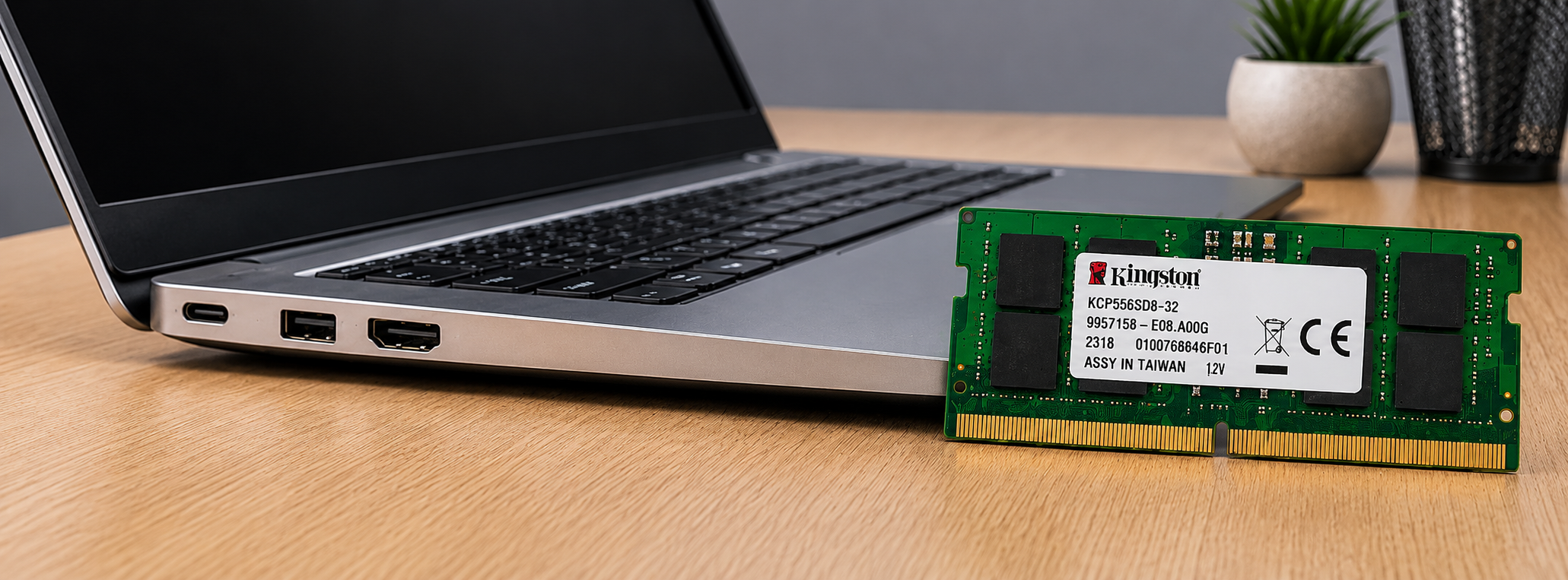
Why Upgrading Your Computer’s DRAM (RAM) Is One of the Best PC Performance Upgrades
Whether you’re working from home, gaming, editing videos, or browsing the web with multiple tabs open, your computer’s memory plays a crucial role in overall performance. One of the easiest and most cost-effective ways to improve speed and responsiveness is by upgrading your DRAM, also known as RAM or system memory.
If your desktop or laptop feels slow, a memory upgrade can deliver an immediate boost without the cost of replacing your entire machine. In this guide, we’ll explain what DRAM does, how it affects performance, and why choosing the right DDR4 or DDR5 RAM can make a noticeable difference to your everyday computing experience. If you’re looking for compatible memory upgrades, MemoryCow offers a wide range of RAM for desktops, laptops and servers.
What Is DRAM and Why Does RAM Matter?
DRAM (Dynamic Random Access Memory) is the temporary workspace your computer uses to store data that the processor needs quick access to. Unlike an SSD or hard drive, which stores files permanently, DRAM is volatile memory that only holds information while your computer is switched on.
The more RAM your system has, the more applications, browser tabs, files and background processes it can handle at once without slowing down. That makes DRAM one of the most important components for smooth PC performance.
Faster Multitasking with a RAM Upgrade
One of the biggest benefits of adding more DRAM is improved multitasking. Modern users often have multiple browser tabs open alongside productivity software, communication apps, cloud storage tools and streaming services.
When your system runs out of available memory, it starts using your storage drive as virtual memory, which is much slower than DRAM. This can lead to lag, freezing and longer loading times.
Upgrading your RAM allows your computer to:
- Run multiple applications more smoothly.
- Switch between programs without delays.
- Keep more browser tabs open.
- Improve responsiveness during heavy workloads.
- Reduce reliance on slower virtual memory.
For anyone who regularly juggles several tasks at once, a memory upgrade can make a dramatic difference.
Better Performance for Creative Work
Content creators rely heavily on available memory. Applications such as video editors, photo editing software, 3D rendering tools and music production suites all consume large amounts of RAM.
Adding more DRAM can help by:
- Reducing rendering bottlenecks.
- Speeding up large file editing.
- Improving timeline playback.
- Supporting higher-resolution projects.
- Making creative workflows more efficient.
For professionals and hobbyists alike, increasing memory can directly improve productivity and reduce waiting time. If you use demanding software every day, upgrading to the right desktop RAM or laptop RAM is often one of the smartest investments you can make.
Improved Gaming Experience
Gaming places significant demands on modern hardware, and DRAM plays an important supporting role alongside your graphics card and processor.
While more RAM won’t always increase frame rates dramatically, having enough memory helps to:
- Reduce in-game stuttering.
- Shorten loading times.
- Improve texture streaming.
- Allow background apps such as voice chat or streaming software to run without affecting gameplay.
- Support newer games with higher memory requirements.
Many modern games recommend at least 16GB of RAM, while demanding titles and multitasking gamers often benefit from 32GB or more. If you’re building or upgrading a gaming PC, choosing the right DDR4 RAM or DDR5 RAM can help ensure smoother performance.
Faster Overall System Responsiveness
If your computer feels sluggish during everyday use, insufficient DRAM may be part of the problem.
Adding more memory can improve:
- System startup after login.
- File searching.
- Application launches.
- Web browsing performance.
- Operating system responsiveness.
Users often notice that their computer simply feels smoother and more responsive, even during routine tasks such as checking email, streaming video or working in Microsoft Office.
Future-Proofing Your Computer
Software continues to become more demanding. New operating systems, web browsers, productivity tools and creative applications all consume more memory than ever before.
Upgrading your DRAM today helps prepare your computer for future software updates and allows your system to remain capable for longer. That can help delay the need for a full PC replacement and extend the life of your existing hardware.
If you want to keep your desktop or laptop running efficiently for years to come, a memory upgrade is a practical way to future-proof your setup.
A Cost-Effective Upgrade
Compared with replacing an entire computer, installing additional DRAM is usually one of the most affordable hardware upgrades available.
Benefits include:
- Lower upgrade cost than buying a new PC.
- Simple installation in many desktop and laptop systems.
- Immediate performance improvements.
- Extended lifespan of existing hardware.
- Excellent value for money.
For many users, adding RAM provides one of the highest performance gains per pound spent. That makes it a popular upgrade for home users, gamers, students and professionals looking for better performance on a budget.
How Much RAM Do You Need?
The ideal amount of memory depends on how you use your computer.
| Usage | Recommended Memory |
|---|---|
| Basic web browsing and office work | 8GB |
| Everyday multitasking | 16GB |
| Gaming | 16GB–32GB |
| Video editing and creative work | 32GB or more |
| Professional workstations and virtual machines | 64GB+ |
Before upgrading, it’s important to check your computer’s maximum supported memory, the number of available memory slots, and the correct DRAM type such as DDR4 or DDR5. You should also confirm whether your system uses DIMM modules for desktops or SO-DIMM modules for laptops.
Signs You Need More DRAM
Your computer may benefit from a RAM upgrade if you notice:
- Frequent slowdowns when multiple programs are open.
- Browser tabs constantly reloading.
- Long application loading times.
- System freezing during heavy workloads.
- High memory usage reported in Task Manager or Activity Monitor.
- Reduced performance while gaming or editing media.
These symptoms often indicate that your system is reaching its memory limits. If this sounds familiar, upgrading your computer memory could be the simplest way to restore speed and responsiveness.
Installation Is Easier Than You Might Think
Many desktop computers allow DRAM modules to be installed in just a few minutes with minimal tools. Some laptops also offer user-upgradeable memory, although many newer ultrabooks feature soldered RAM that cannot be upgraded.
Before buying new modules, always check your system documentation or manufacturer specifications to ensure compatibility. It’s important to match the correct memory type, speed and capacity for your motherboard or laptop model.
If you’re unsure which RAM upgrade you need, MemoryCow can help you find compatible memory for a wide range of systems, including desktops, laptops and servers.
Final Thoughts
Upgrading your computer’s DRAM is one of the simplest and most effective ways to improve performance without investing in an entirely new system. Whether you’re a student, gamer, professional or casual user, adding more RAM can result in faster multitasking, smoother application performance, improved gaming and a more responsive overall experience.
As software continues to evolve and workloads become more demanding, making sure your computer has enough memory is an investment that can keep your system running efficiently for years to come. Before upgrading, verify your system’s compatibility and choose high-quality RAM that meets your computer’s specifications. With the right memory upgrade, you’ll enjoy a faster, more capable PC that’s ready for today’s applications and tomorrow’s demands.